I like working in the terminal. It feels like the right thing to invest in to build small tools that compose well into bigger tools.
I’ve written before about using tmux as a way to turn one terminal into many so you can run tests and editors etc. It’s clunky, it’s wonky. If you get a good starting configuration from something like oh-my-tmux and you spend some time tweaking it and you learn how it works, you can get a LOT out of it. I am. But I just got a great recommendation from Ian Sudderth about an alternative.
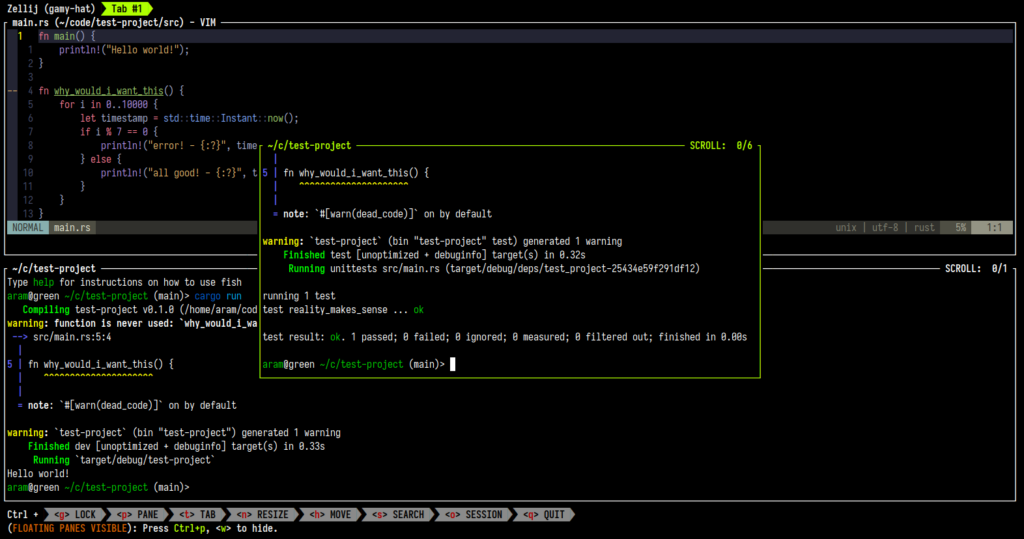
Zellij is a screen multiplexer that does all the things that I need but comes with batteries installed and has good defaults and I’m loving it. It starts out with things like session restoration built in.
It’s DISCOVERABLE. I don’t have to look up a lot of info about how to use it – it walks you through it.
Commandline stuff doesn’t have to be hard anymore. I’ve already added it to my jumpstart for new environments. I’m going to be playing with this everywhere as a replacement for tmux.
My work writes big SAAS tools. These are tools that almost make no sense for one business to write to the highest levels of quality unless they are going to sell them.
The other end of software is the business of solving specific problems for specific people – and that’s the part that I really like. My part of the big SAAS business tends to be very focused on people trying to solve problems.
I love the perspective of this page about Home Cooked Software and Barefoot Developers. All the tools and practices are fundamentally about helping people solve the problems they care about and helping them find more interesting problems to work on.
This is another post my work asked me to opine on. I’m a big fan of developers that aren’t focused totally on making software – folks who make their own tools to solve their problems. However, it’s definitely possible to get yourself into a real pickle where you can build yourself into a corner you don’t have the time and skills to get yourself out of.
Pitfalls of the Ops Developer is about how to recognize when your group wants to transition from home-grown solutions to something more standard. It’s HARD to know and it’s hard to anticipate when you are about to hit one of those inflection points. As always, there’s a ton left out, but I love hearing from folks about their stories around the topic. I was just talking to a client in London and they brought this one up as being helpful and describing exactly the place where they are right now. Soooo… I thought I’d share it with you!
It’s a golden age of convenience and ease! The speed that we can get something usable up, working and deployed these days is incredible. The sheer amount of good engineering infrastructure we can take for granted is astounding – and that’s good.
In Deb Chachra‘s How Infrastructure Works she has a tricky definition of infrastructure that really works. Roughly it’s that “infrastructure what you can take for granted”. It’s the stuff you don’t have to think about. In my neighborhood, that’s a lot! I don’t think about water, light, heat, electricity, or food supply. At work, I don’t really think much about compute availability or disk availability – though I do have to design systems that use these mindfully at scale.
In software, there’s other kinds of infrastructure. Do you have to manually allocate memory? Do you have to destroy objects and free up allocated memory when you are done with it or does a garbage collector handle that for you? Do you have to optimize your control flow and loops or does an optimizer do an incredibly smart job of that for you? The more that there is good software infrastructure, the more you can spend time on the biggest difference maker for you – handling the business domain problems that you want to solve.
Old Man Story Time:
For my first job in NYC, I was given a C# code test. This was difficult for me, as I had no copy of VisualStudio.net available to me. Also, I didn’t know C# and figured it can’t be harder than C. I had to look up online manuals of C#, write the code in Notepad, and use csc.exe to test if it worked. A lot of what the test demonstrated was that I could write a for loop and that I was bull headed enough to push through obstacles and find out how to get something done. Now I write fewer for loops.
The last repository push I made I didn’t bother locally cloning – I was able to use the web based editor in GitLab to branch, make a change with auto-suggests, then commit, push and create a merge request. Unbelievably easy and cool.
There is such a focus on how quickly you can get going, but so little focus on how you maintain what you just created.
The developers I work with are so bright and smart and full of ideas. And they can get smarter, more reactive, better designed systems than I can think of up and running so quickly it’s astounding. But I see them frustrated, because they are held up by different things than I was. I used to get frustrated by the failures of the technology or the ability to even get simple things connected. They have best practices built into the new tools. But they are now frustrated by the organizational demands associated with new tooling.
Who will support this new application? How will we keep it updated? How will we secure it? When the APIs we interact with change, is this application well enough documented that someone else can fix the problem or do we need to take you off a project to fix it?
Part of my job is to help identify these issues early and turn them into infrastructure so that they can concentrate on the business problem and solutions to them – rather than these concerns. Instead of frustrated developers working out non-functional requirements, it’s better when we turn them into things they can take for granted.
This means working out commonalities across solutions we build for clients. Deployment’s a big one to get right once and then not talk about much. Same for version control. Same for dependency management and security scanning. Same for support after go-live. Same for maintenance. Same for self-service for clients.
The response to people being super fast to solve problem and come up with ideas isn’t to slow them down – it’s to solve the next bottlenecks.
These opinions are, of course, my own and published by me, not my employer.
I just came back from AWS:ReInvent 2023 and wanted to jot down some ideas I had about how to improve the experience next time.
First impressions – this conference was extremely well-run, very organized and FULL of helpful people eager to get you where you are going. Just like everything in Las Vegas, it felt like a thing designed to process you, a pipeline oriented around directing a sprayhose of humans to various areas. It’s people and crowd management at scale. That’s what it is and if you give up your individuality you can get whisked around and processed quickly. Swimming against the stream doesn’t work well.
Do’s and Don’ts:
Do register early and get flights and hotel rooms early. As a late registrant, I stayed in a non-conference hotel and had to do a lot of travel to get started where other attendees were.
Do try to keep most sessions within a venue. The transportation options are good, but walking in Las Vegas is a fool’s game. The conference centers are massive. The casinos are massive. It takes forever to get around. Even if you get on a shuttle, there is traffic. It’s difficult to move between venues.
Do reserve sessions seats early when they come out. Many sessions I wanted to attend were fully-reserved. This isn’t a big problem as there is plenty of space for walk-ins, but it means having to queue up for the walk-in space early, which limits your time and makes it hard to switch venues.
Do leave room for breakfast and lunch. It’s grueling focusing intently for long periods. Your brain needs energy for it. The AWS ReInvent folks provide meals for breakfast and lunch, but it’s easy to miss them if you have a session at that time. This isn’t such a big deal, except the venues are massive, so it takes a long time to get out and get to somewhere else that has decent food. The food at the venues was much healthier and better than a lot of the easy-to-get food in the casinos etc.
Don’t get too hyped about RePlay unless that’s really your jam. I’m sad I didn’t get there in time for the Linda Lindas, but conference wrap parties in general seem like getting on a bus, getting a few beverages, watching the band, getting back on a bus. Our bus got stuck behind tons of other busses on the road and we eventually walked to the venue. It’s a logistics nightmare to try to get 65K people in and out of a single concert in a reasonable timeframe. I had a lot more fun doing side events with my co-workers like checking out the Sphere and going to OmegaMart.
Don’t go to “Builder’s Sessions”. Your mileage may vary, but I found these uniformly unhelpful. The session is a very brief talk, then following a tutorial at a rapid pace. There is very little context. The session names seemed interesting, but generally they were not educational – they were just a way to step quickly through a pre-configured tutorial. There was no explanation of WHY to do anything – many of the instructions were “copy paste this text”. At the end of any of these sessions, there was no time to ask questions and I don’t think I got much from them. I don’t think anyone who attended one added any new skill.
Do go to big talks in big rooms. The best talks get the big rooms. Figure out capacity and try to attend these. The best talk I attended, “Building Observability to Increase Resiliency” was in a big room, and I loved it.
Do meet with product managers for products you use. You get a lot of information and they can speak about things that aren’t published or take your specific nuanced feedback about usage. I found this super useful. I got to talk about what would specifically impact my team and our way of working.
Do watch the keynotes via stream in your hotel room. They don’t hand out any special goodies. The hotel is comfy. The editing is good.
Do register for new sessions after they keynote. They unlock new sessions related to the just announced stuff. Most of the just announced stuff didn’t really thrill me, but there is a helpful filter in the catalog for “just launched” sessions.
Most of the sessions I attended really were laser focused on the AWS product, which, you know, fair enough. It’s not a generalist conference. But my favorite session took great lessons about a subject and then applied them to how to use AWS products.
Lots of folks are known for one-shot takes, but this shows how Spielberg sneaks in gorgeous “oners” that do work without calling attention to themselves.
This essay on Fincher is great, but I love the little golden nugget about how spacing shows the evolving relationship between Mills and Somerset
That title always struck me. Every Frame a Painting. That’s gotta be a bar filmakers strive for. Some make it.
Some movies are just so damn beautiful. Just gorgeous.
Like the one that you like that isn’t my cup of tea.
Might be nice to see an image from it, right there behind all of your terminals and windows and such, set as your wallpaper. If every frame’s a painting, set a random one as your wallpaper whenever I like it.
So here’s the plan. I want it. So I made it for me. You can have it. But here’s the terms of the deal. I made it for me, so if it doesn’t work for you, you have to make it work for you. If it causes you problems, those are not my problems. If you don’t agree, this isn’t for you.
By default, it won’t use the first 5 or last 10 minutes since that’s often the credits. But you can override this.
We’ll find out how many frames are in that remaining part of the movie.
We’ll pick one randomly and extract it from the movie.
Then we’ll set it as your wallpaper. Nice!
Want to change this often? Set up a cron job!
Pulling a single frame out the middle of a movie is CPU intense, so you probably want to use nice in your cron job so it doesn’t interfere with the rest of your work.
Here’s the code, save this in a file called every_frame_a_wallpaper.zsh and then chmod u+x every_frame_wallpaper.zsh
#! /bin/zsh
# This is a pretty processor intensive set of tasks! You should probably nice this script
# as in call it with nice -n 10 "every_frame_a_wallpaper.zsh /path/to/video.mkv"

SCRIPT_NAME=$(basename "$0")

# I like a nice log file for my cron jobs
function LOG() {
  echo -e "$(date --iso-8601=seconds): [$SCRIPT_NAME] :  $1"
}

# set up some options
local begin_skip_minutes=5
local end_skip_minutes=10
local wallpaper="$HOME/Pictures/wallpaper.png"
local usage=(
	"$SCRIPT_NAME [-h|--help]"
	"$SCRIPT_NAME [-b|--begin_skip_minutes] [-e|--end_skip_minutes] [<video file path>]"
	"Extract a single random frame from a movie and set it as wallpaper"
	"By default, skips 5 minutes from the beginning and 10 from the end, but this is overridable"

)

# the docs suck on zparseopts so let this be a reference for next time
# -D pulls parsed flags out of $@
# -F fails if we find a flag that wasn't defined
# -K allows us to set default values without zparseopts overwriting them
# Remember that the first dash is automatically handled, so long options are -opt, not --opt
zparseopts -D -F -K -- \
	{h,-help}=flag_help \
	{b,-begin_skip_minutes}:=begin_skip_minutes \
	{e,-end_skip_minutes}:=end_skip_minutes \
	|| return 1

[[ -z "$flag_help" ]] || {print -l $usage && return }
if [[ -z "$@" ]] {
   print -l "A video file path is required"
   print -l $usage && return

} else {
   MOVIE="$@"
}

if [[ $DISPLAY ]]
then
  LOG "interactively running, not in cron"
else
  LOG "Not running interactively, time to export the session's environment for cron"
  export $(xargs -0 -a "/proc/$(pgrep gnome-session -n -U $UID)/environ") 2>/dev/null
fi

LOG "skipping $begin_skip_minutes[-1] minutes from the beginning"
LOG "skipping $end_skip_minutes[-1] minutes from the end"
LOG "outputting the wallpaper to $wallpaper"
LOG "using file $MOVIE"

LOG "Let's get a frame from ${MOVIE}";


LOG "What's the duration of the movie?"
DURATION=$(ffprobe -v error -show_entries format=duration -of default=noprint_wrappers=1:nokey=1 \
  $MOVIE);
DURATION=$(printf '%.0f' $DURATION);

LOG "Duration looks like ${DURATION} seconds";

LOG "what's the frame rate?"

FRAMERATE=$(ffprobe -v error -select_streams v:0 \
  -show_entries \
  stream=r_frame_rate \
  -print_format default=nokey=1:noprint_wrappers=1 $MOVIE)


FRAMERATE=$(bc -l <<< "$FRAMERATE");

FRAMERATE=$(printf "%.0f" $FRAMERATE);

LOG "Looks like it's roughly $FRAMERATE"

FRAMECOUNT=$(bc -l <<< "${FRAMERATE} * ${DURATION}");
FRAMECOUNT=$(printf '%.0f' $FRAMECOUNT)
LOG "So the frame count should be ${FRAMECOUNT}";


SKIP_MINUTES=$begin_skip_minutes[-1]
SKIP_CREDITS_MINUTES=$end_skip_minutes[-1]

LOG "We want to skip $SKIP_MINUTES from the beginning and $SKIP_CREDITS_MINUTES from the end".

SKIP_BEGINNING_FRAMES=$(bc -l <<< "${FRAMERATE} * $SKIP_MINUTES * 60");
LOG "So $SKIP_MINUTES * 60 seconds * $FRAMERATE frames per second = $SKIP_BEGINNING_FRAMES frames to skip from the beginning."
SKIP_ENDING_FRAMES=$(bc -l <<< "${FRAMERATE} * $SKIP_CREDITS_MINUTES * 60");
LOG "So $SKIP_CREDITS_MINUTES * 60 seconds * $FRAMERATE frames per second = $SKIP_ENDING_FRAMES frames to skip from the ending."

USEABLE_FRAMES=$(bc -l <<< "$FRAMECOUNT - $SKIP_BEGINNING_FRAMES - $SKIP_ENDING_FRAMES");
UPPER_FRAME=$(bc -l <<<"$FRAMECOUNT - $SKIP_ENDING_FRAMES")
LOG "That leaves us with ${USEABLE_FRAMES} usable frames between $SKIP_BEGINNING_FRAMES and $UPPER_FRAME";

FRAME_NUMBER=$(shuf -i $SKIP_BEGINNING_FRAMES-$UPPER_FRAME -n 1)
LOG "Extract the random frame ${FRAME_NUMBER} to ${wallpaper}";
LOG "This takes a few minutes for large files.";
ffmpeg \
  -loglevel error \
  -hide_banner \
  -i $MOVIE \
  -vf "select=eq(n\,${FRAME_NUMBER})" \
  -vframes 1 \
  -y \
  $wallpaper


WALLPAPER_PATH="file://$(readlink -f $wallpaper)"
LOG "Set the out file as light and dark wallpaper - using ${WALLPAPER_PATH}";
gsettings set org.gnome.desktop.background picture-uri-dark "${WALLPAPER_PATH}";
gsettings set org.gnome.desktop.background picture-uri "${WALLPAPER_PATH}";
In my crontab I call it like this:
# generate a neat new background every morning
0 4 * * * nice -n 10 ~/crons/every_frame_a_wallpaper.zsh -b 5 -e 12 /home/mk/Videos/Movies/Spider-Man_Across_the_Spider-Verse.mkv >> ~/.logs/every_frame_a_wallpaper/`date +"\%F"`-run.log 2>&1
I’ve been doing a little project and took a moment to get a bit better at using tmux.
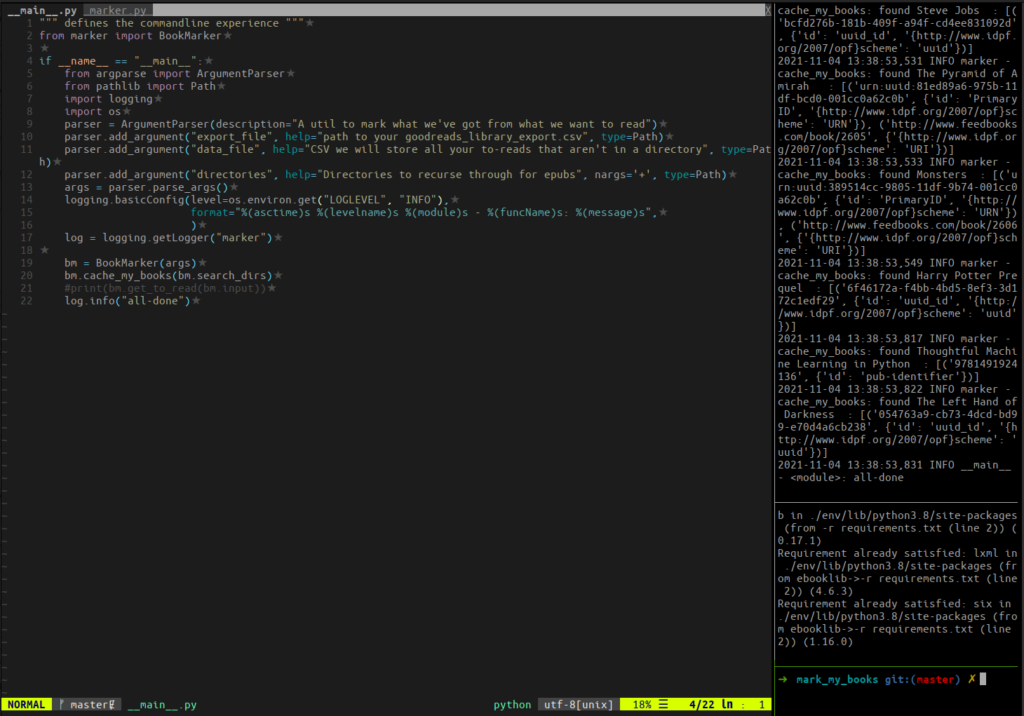
Every time I go into this project I set up some splits. A main window where I’ll edit files using vim, then I split a pane off to run the code or test suite on every save. Another split where I pip install after any changes to my requirements.txt file.
Since I do the same thing repeatedly I was pretty sure tmux has a way to set this up so I don’t need to do it by hand. I tried using tmux session saving plugins, but they are too much for what I need right now.
Turns out tmux is incredibly easy to script. This gist is very long and very informative on how to split windows in tmux and covered everything I needed.
#! /bin/sh

# split -h horizontally to take up 30% of the width to run my __main__.py file on every save of a python file
# this is -d detached so that focus remains on the main window
tmux splitw -d -h -p 30 'ls *.py | entr -c env/bin/python . ./goodreads_library_export.csv data.csv ~/books'
# split my second pane vertically with 20% for rerunning pip installs on save of requirements.txt
tmux splitw -d -t 2 -p 20 'ls requirements.txt | entr -c env/bin/pip install -r requirements.txt'
# create a little detached shell just in case I need to try something
tmux splitw -d -t 3
# open up the python files in tabs in my main pane
vim -p *.py
entr is a great little tool I like for monitoring for file changes and running a command in response.
I’m just noting this down because I had to do a lot of reading to get this right. Now that I’m actually using log libraries in a good way for my scripts, I want to dial up and down the log level easily – but setting the loglevel on my overall script to debug makes EVERYTHING output, and I don’t really need every library’s output. I’m sure there’s a better way to control the log level of a specific logger for my script from the command line, but this works for me in a quick and dirty way.
Goodreads used to have an API but they stopped giving access and it looks like they are shutting it down. A real garbage move.
I like to be able to use my data that I put in so I wrote a script to automatically download my data regularly. Then I can do stuff like check to see if books I want are in the library or keep my own list or analytics, etc.
I donated money to the Alex Morse campaign, a progressive candidate who’s trying to unseat Richard Neal, a greedhead Democrat. That happened earlier, but recently it appears that there was a sex scandal accusation against Morse. He’s accused of having consensual sex with adult students at the university he teaches at that are not in his class and also messaging people he’s met on Tinder. Sexual harassment and consent are incredibly important, but weaponized accusations are exactly the sort of thing that conservatives have professed concern over. In Alex’s case, the investigation by the Intercept certainly makes it seem like people who want to work for Richard Neal have been manufacturing a scandal instead of uncovering one.
Other campaigns I’m looking closely at:
The State Slate – The great slate didn’t do great in 2018, but I still like these ideas and I’m willing to give again. These candidates are all good chances to flip a district and any campaigning they do is good for upballot races.
Donna Imam – an engineer who might be able to flip a texas district.
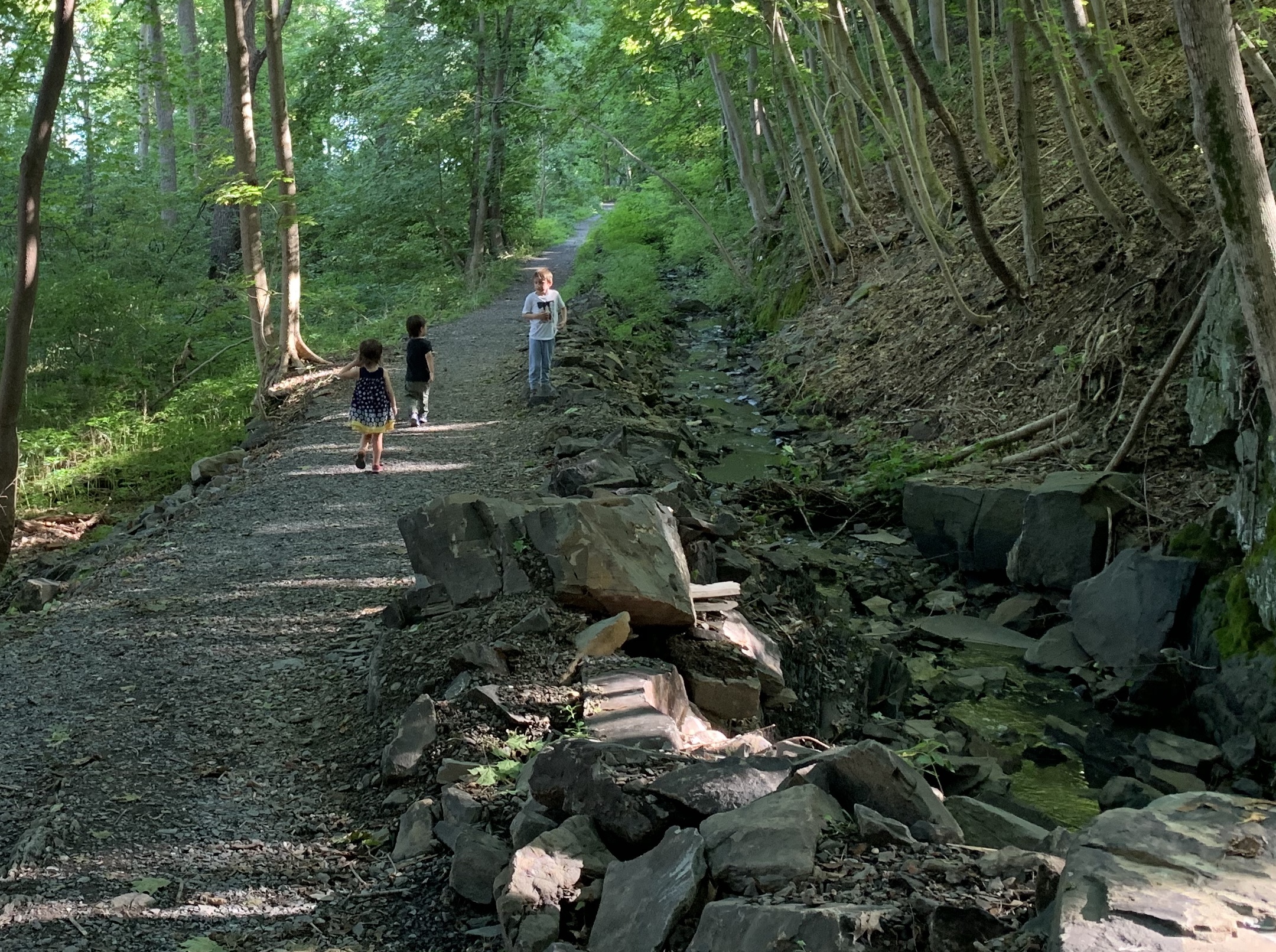
We’ve been doing more hikes again. I’m trying to make sure the little monsters leave the house every day. We’ve been going out to the village a little bit as well. I haul the kids in our expandable wagon and we can eat at an outside restaurant called The Partition.
We’re getting an eensy bit more social (in safe and measured ways).
ZZ had an extended encounter with a nice lady named Alexa and her dog Chacho. They spent an hour hanging out and I can’t recall having a nicer meal in ages. Here’s pro tip – if you hang out with the children and amuse them while we have drinks and dinner I’m grabbing your bill!
Beer Club had a mini executive retreat when Ray showed up in Rhinebeck! We took the Ho’s to the FallingWater trail where I finally got to meet Finley! He loves Max and Zelda loves him.
The Scott’s dropped by! We took them out to Fallingwater as well, where Max and Ben got along really well and explored up the waterfall all the way to its source. Zelda is in love with Zoe and asks about her.
Max and Ben never usually play together, but for some reason this day was just perfect. Everyone got along famously.
DIY
Around the house, we’ve been struggling a little to knock out more projects. It just seemed like we lost steam. So we dug out the back yard next to our house and put in a bunch of marble rock chips over garden cloth. Now things are better looking and won’t require any weeding – instead of a dirt patch next to the house we have clean white stone which doesn’t need maintenance.
We cleaned out the trampoline, which had been under a mulberry tree, trying to become a mulberry jam strainer. Yecchh.
We spent a couple of meeting looking at adding solar panels to our roof – I really like it for a lot of reasons including my predilection for distributed systems over centralized ones. Sadly, the tradeoffs right now don’t seem worth it. Even with incredible financing and all sorts of incentives it would take forever to pay off the panels and require trimming trees.
This helped me feel like we can really start getting going again. I’m gonna finish that Patio!
Code and nerdery
Great news here! I’ve been thinking at work about ways to better handle and test documentation across multiple languages. The key here is to make sure that you can extract code samples from documentation and then push it out to a testable format.
I also type this on the linux laptop as I managed to resize partitions without destroying anything. I thought 80 gigs would be enough for my Ubuntu partition, but it seems to be growing and I had to give it a few hundred more gigabytes to grow.